
How to setup Webhook in Poetic?
You can configure a webhook by following the below steps.
Login to Poetic.
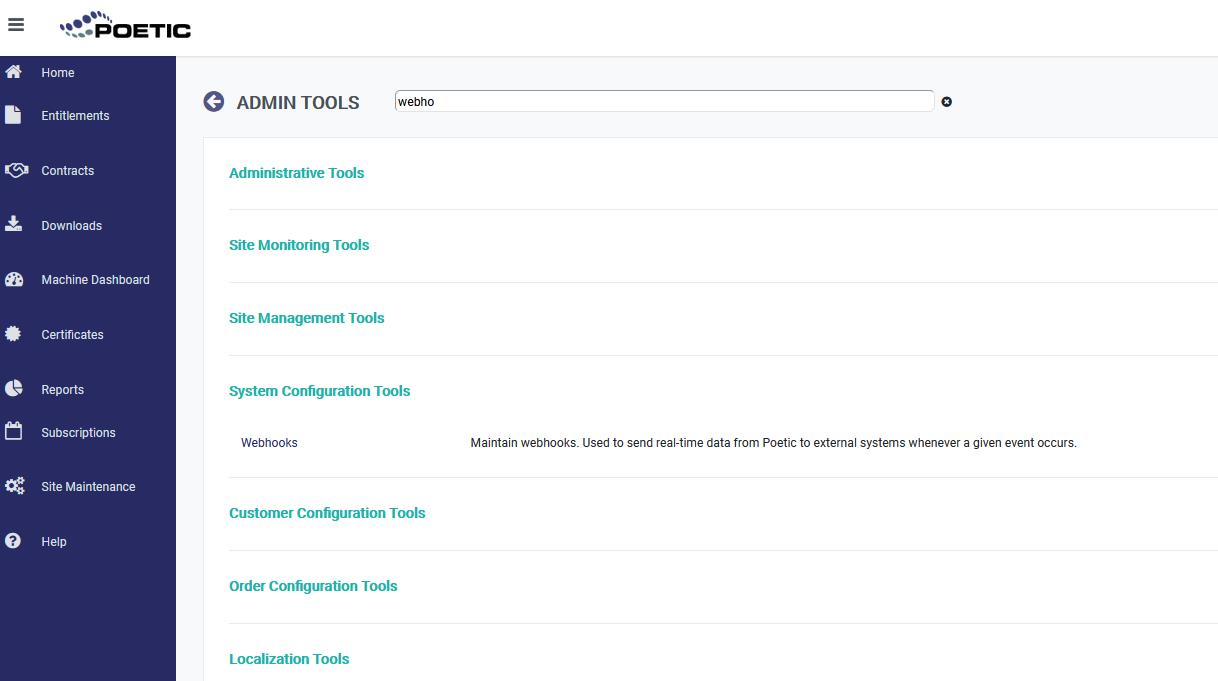
Click the Site Maintenance on the left side menu and search for Webhooks.
Click on Webhooks link under System Configuration Tools section.
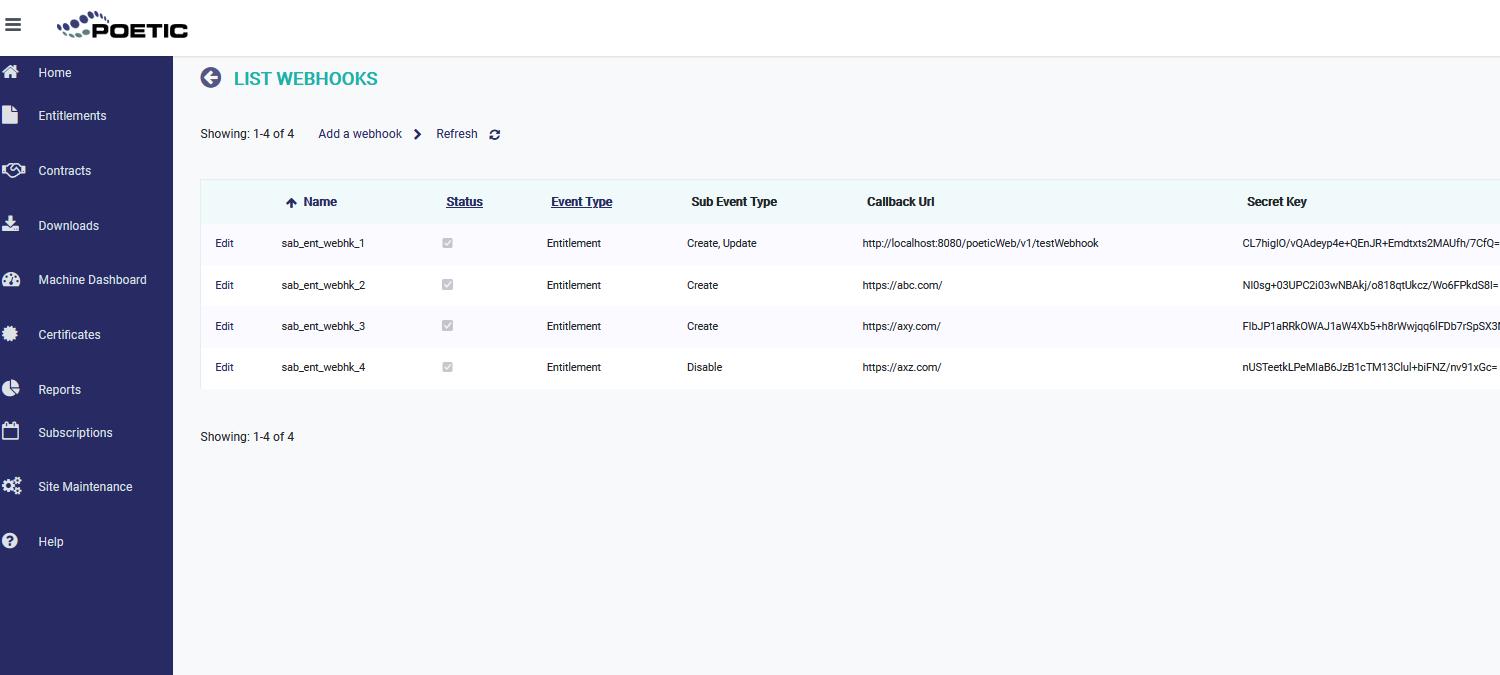
4. On List Webhooks page, click on Add a Webhook link.
5. Provide the required fields on the Webhook Maintenance Page.
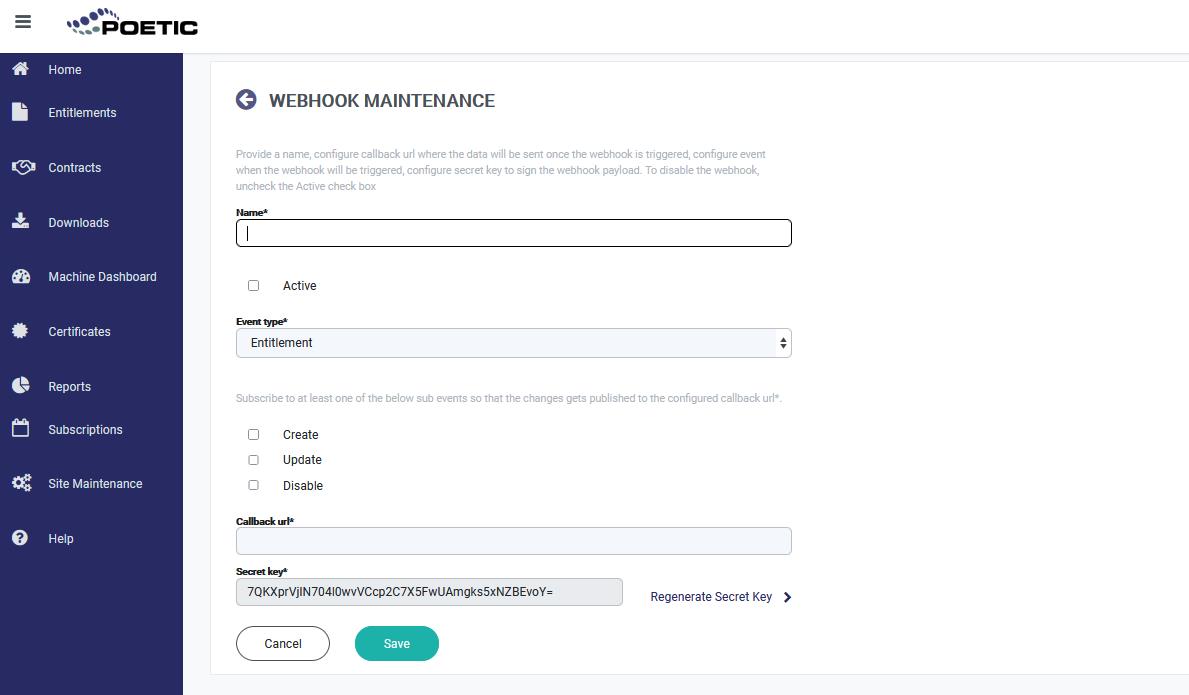
6. Provide the Name of the webhook and select the Active check box.
7. Subscribe to at least one of the sub events by clicking the respective check box.
8. Enter an endpoint (the HTTPS URL) in Callback url field, that Webhooks request should be sent to.
9. Secret key will be automatically generated and will be populated. Please copy the secret key which will be later used for validating the request received from Poetic. If you want to regenerate it, click on Regenerate Secret Key link.
10. Click on Save button.